
Three placements
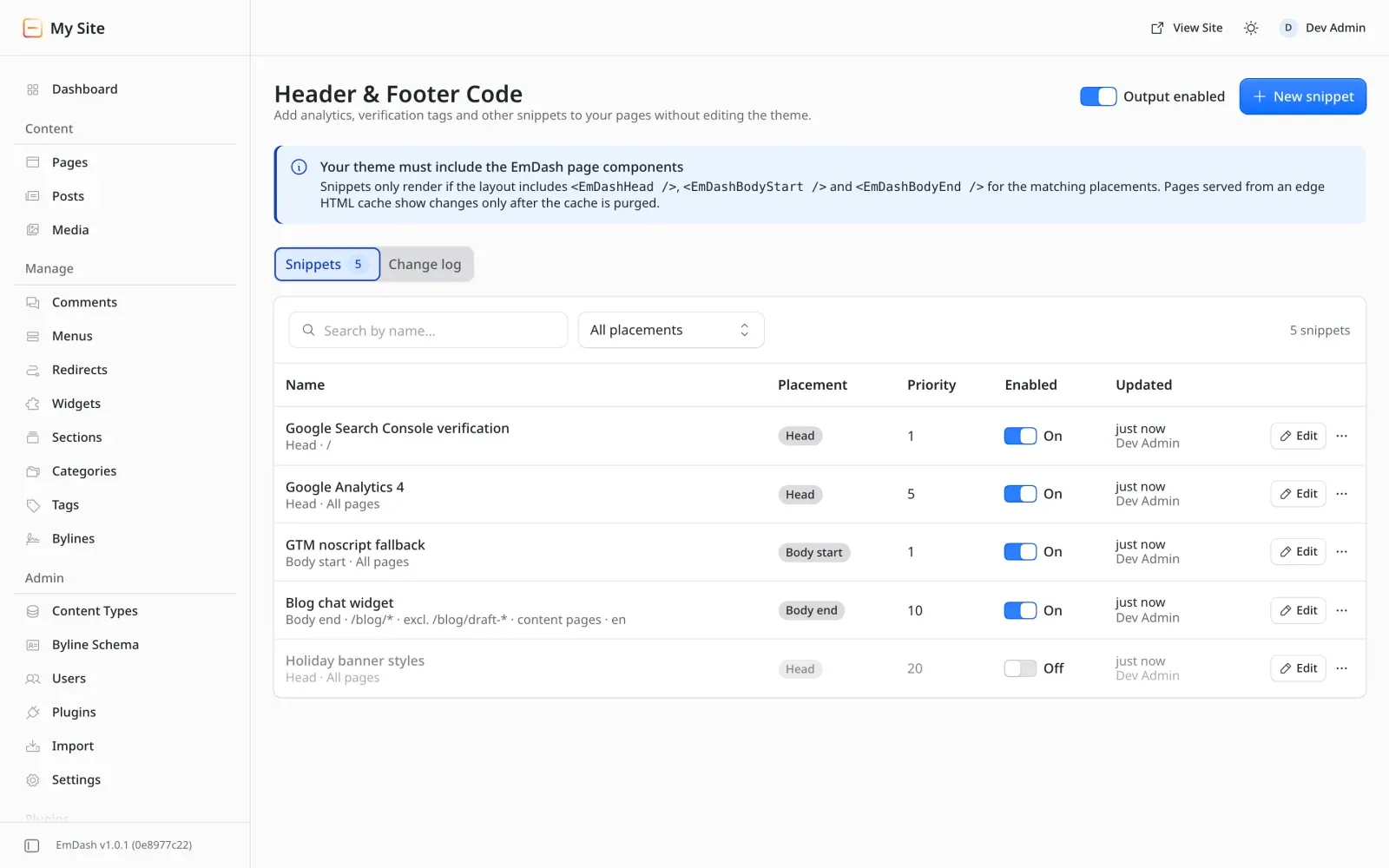
Output each snippet in the <head>, at the start of <body>, or at the end of <body>.
Ordering within a placement is set by a priority number.
npm install emdash-header-footer-codeimport { headerFooterCode } from "emdash-header-footer-code";
export default defineConfig({ integrations: [emdash({ /* … */ plugins: [headerFooterCode()] })],});Redeploy, then open Header & Footer Code in the EmDash admin sidebar.
Three placements
Output each snippet in the <head>, at the start of <body>, or at the end of <body>.
Ordering within a placement is set by a priority number.
Page targeting
Include or exclude paths with simple prefix patterns, and limit snippets by page kind or locale. Exclude always wins.
Kill switch
One toggle stops all snippet output on every page. Nothing is deleted or changed.
Change log
Every create, edit, enable, disable, duplicate, delete and kill-switch change is recorded with the user and the time.
Role aware
Only Admins can write. Editors get a read-only list that never includes snippet code.
Extensible
Plug in synchronous transforms, for example to tag scripts with a consent category.