
Kill switch & change log
Kill switch
Section titled “Kill switch”The Output enabled toggle at the top of the admin page turns off all snippet output on every page. It doesn’t delete or change any snippet.
- Turning it off asks you to confirm (“Turn off all snippet output?”). While it is off, the admin page shows a banner saying all snippet output is disabled.
- Turning it on again resumes output straight away, with each snippet’s own enabled state as before.
Use it when a snippet breaks the site and you need it gone now, before you work out which one is at fault.
Pages in an edge HTML cache keep the old output until the cache is purged. See Caching & freshness.
Change log
Section titled “Change log”The Change log tab records every change, with the time, the user and the snippet name:
| Action | Recorded when |
|---|---|
create |
A snippet is created |
update |
A snippet is edited |
enable |
A snippet is switched on |
disable |
A snippet is switched off |
duplicate |
A snippet is duplicated |
delete |
A snippet is deleted |
killswitch_on |
Output is turned off for all snippets |
killswitch_off |
Output is turned back on |
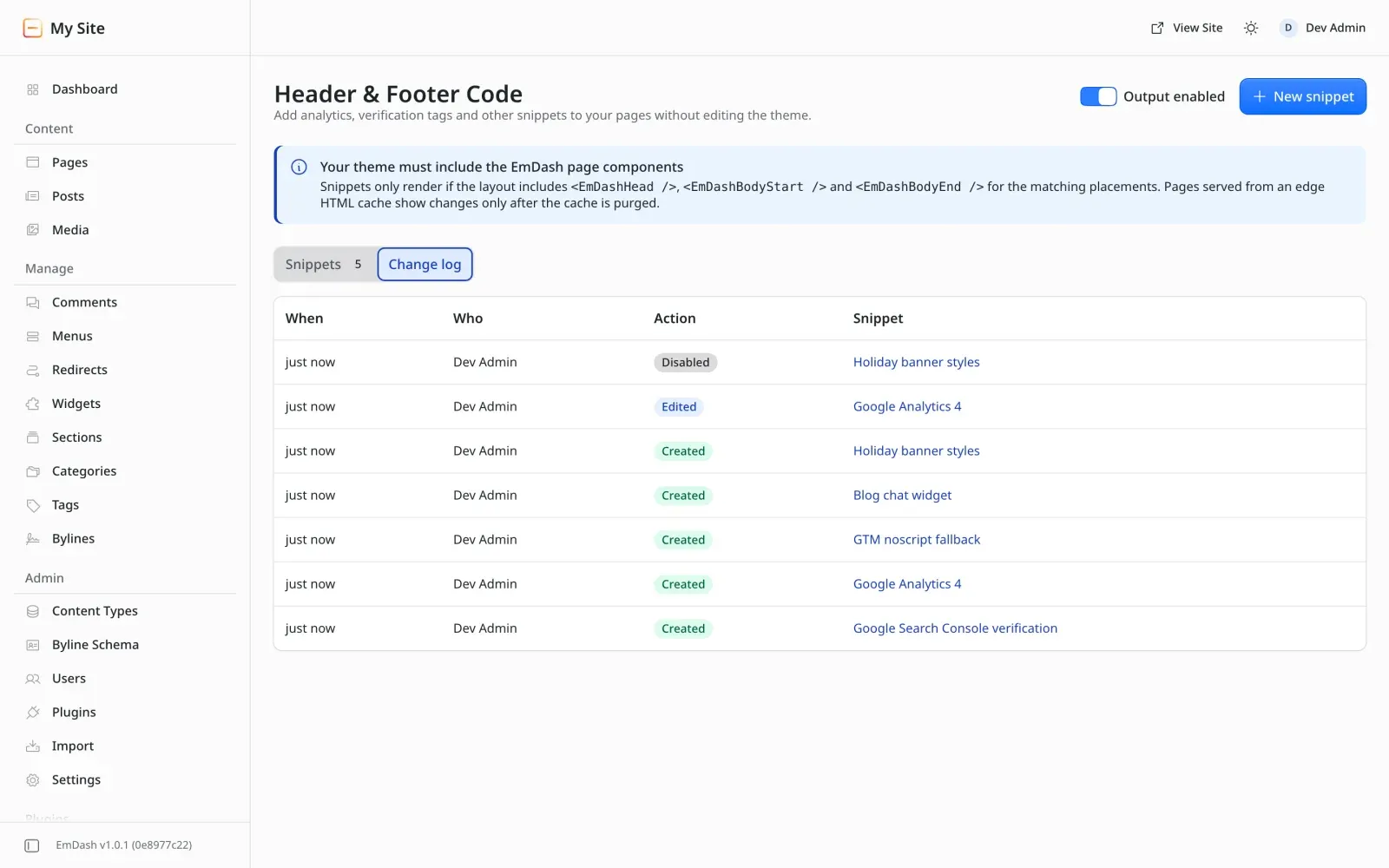
The admin page shows the latest 100 entries. v0.1 doesn’t prune old entries.