
Managing snippets
Snippets live in the admin at Header & Footer Code
(/_emdash/admin/plugins/header-footer-code/snippets). Only Admins (plugins:manage) can change
them. See Permissions.
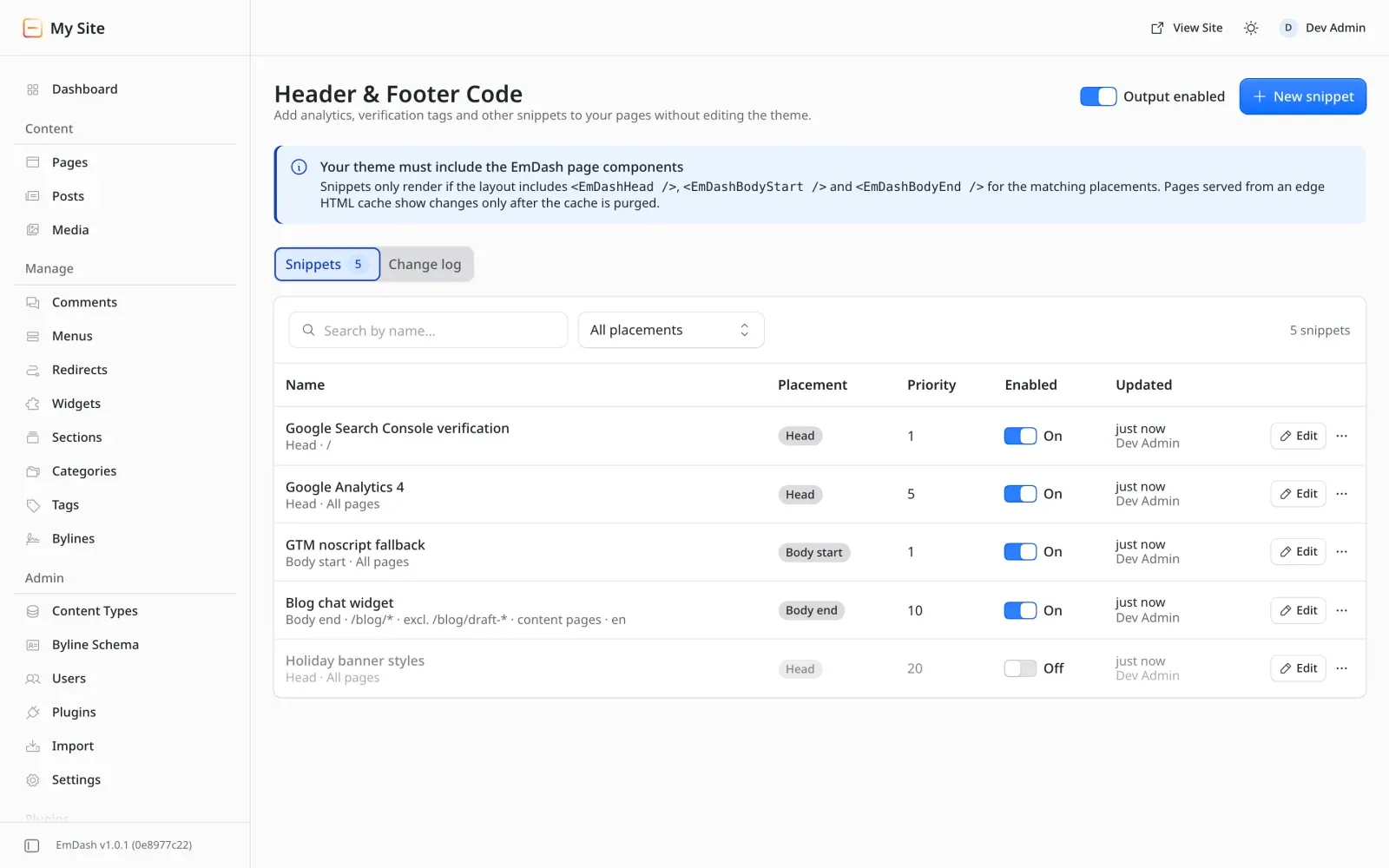
The snippet list
Section titled “The snippet list”The list shows each snippet’s name, where it runs, placement, priority, whether it is enabled, and when it was last updated. You can search by name and filter by placement. The actions menu on each row lets you edit, duplicate or delete the snippet. Use the On/Off switch on a row to enable or disable it without opening the editor.
Adding a snippet
Section titled “Adding a snippet”- Choose New snippet.
- Paste your HTML into the Code editor. It takes raw
<script>,<style>,<noscript>,<meta>and similar tags, and outputs them exactly as written. - Under Settings, give the snippet a Name and choose its Placement and Priority.
- Optionally, open Targeting to limit which pages the snippet runs on. If you leave everything empty, it runs on every page.
- Save. The change reaches every server instance within about a second.
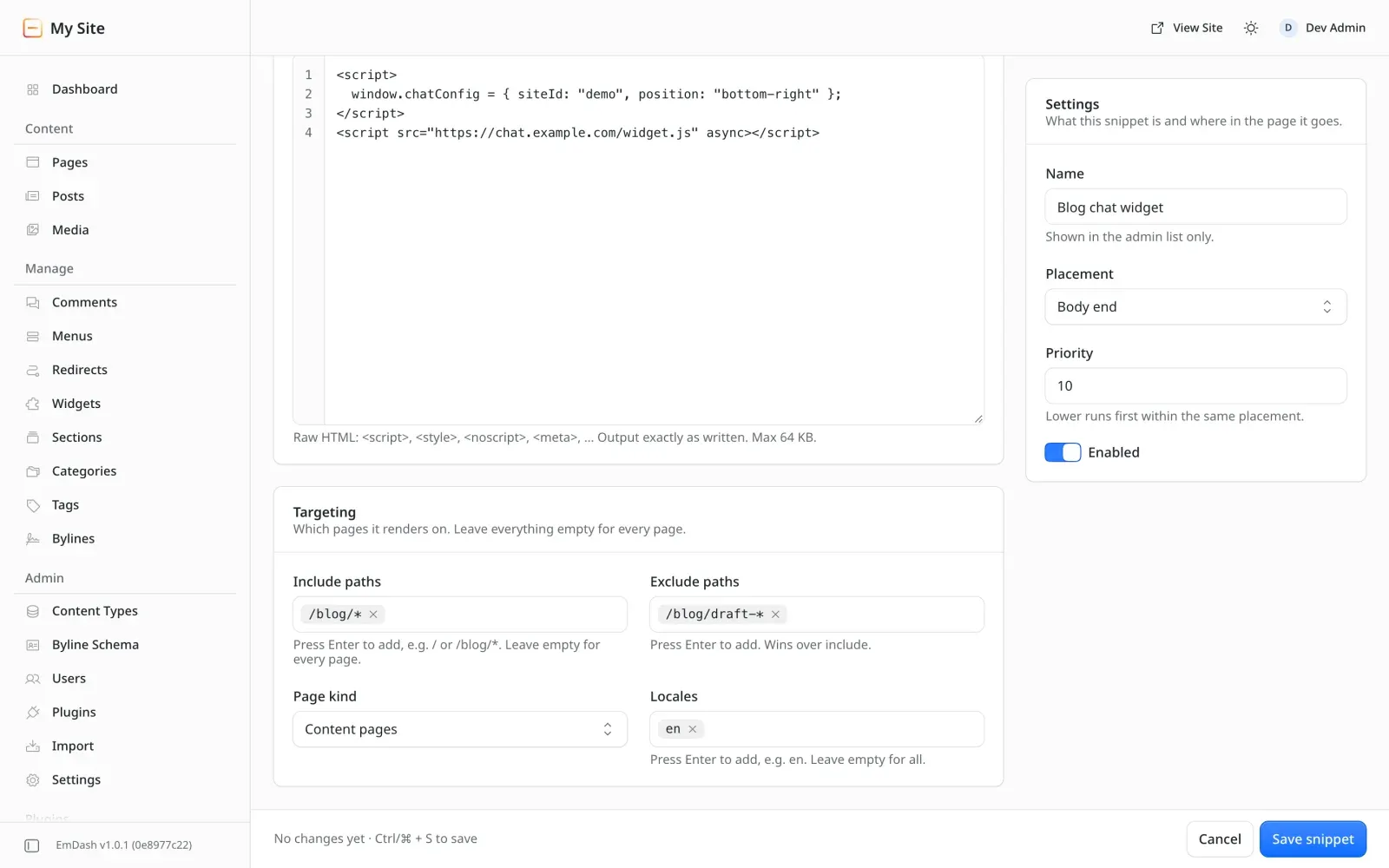
If you try to leave the editor with unsaved changes, it asks you to confirm. Validation errors, such as a bad path pattern or a snippet that is too large, appear in the form, and nothing is saved.
Placements
Section titled “Placements”| Placement | Admin label | Rendered by |
|---|---|---|
head |
Head | <EmDashHead /> |
body:start |
Body start | <EmDashBodyStart /> |
body:end |
Body end | <EmDashBodyEnd /> |
As a rule of thumb, <meta> tags, verification tags and most analytics loaders go in Head.
<noscript> fallbacks such as Google Tag Manager’s <iframe> go in Body start. Chat widgets and
other heavy scripts usually go in Body end.
Ordering
Section titled “Ordering”Within a placement, snippets are sorted by:
priority, ascending (lower runs first; the default is10)- creation time, oldest first
- id
So if one snippet needs to run before another, for example a consent manager before an analytics tag, give it a lower priority.
Enabling and disabling
Section titled “Enabling and disabling”A disabled snippet is never output, but it is kept with all its settings. To stop every snippet at once, use the kill switch.
Duplicating
Section titled “Duplicating”Duplicate makes a copy of a snippet. It is a quick way to start a variant, such as the same tag with different targeting.